
If the Complianz Website Scan gets stuck at 75% while analyzing your site, you can unblock it with a simple procedure. The issue has already been resolved on our end: to apply the fix, however, you’ll need to trigger the scan request again.
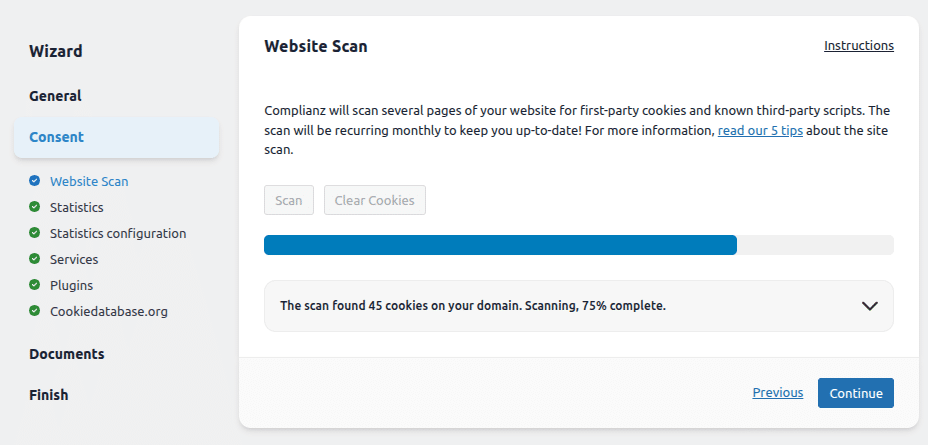
Why does the Complianz Website Scan stop at 75%?
The Complianz Website Scan analyzes your site to detect first-party cookies and known third-party scripts, helping you stay compliant with privacy regulations. In some cases, the scan may freeze at 75% and fail to reach completion. This usually means the scan request needs to be re-triggered: the underlying issue has been addressed on our side, but the active session needs to be refreshed in order for the fix to take effect on your installation.
The good news is that resolving this only takes a few clicks and no technical knowledge is required. Below you’ll find the exact steps to follow.
How to fix the Complianz Website Scan stuck at 75%
To successfully complete the Website Scan, follow these steps from your WordPress dashboard:
- Go to Complianz > Settings > APIs.
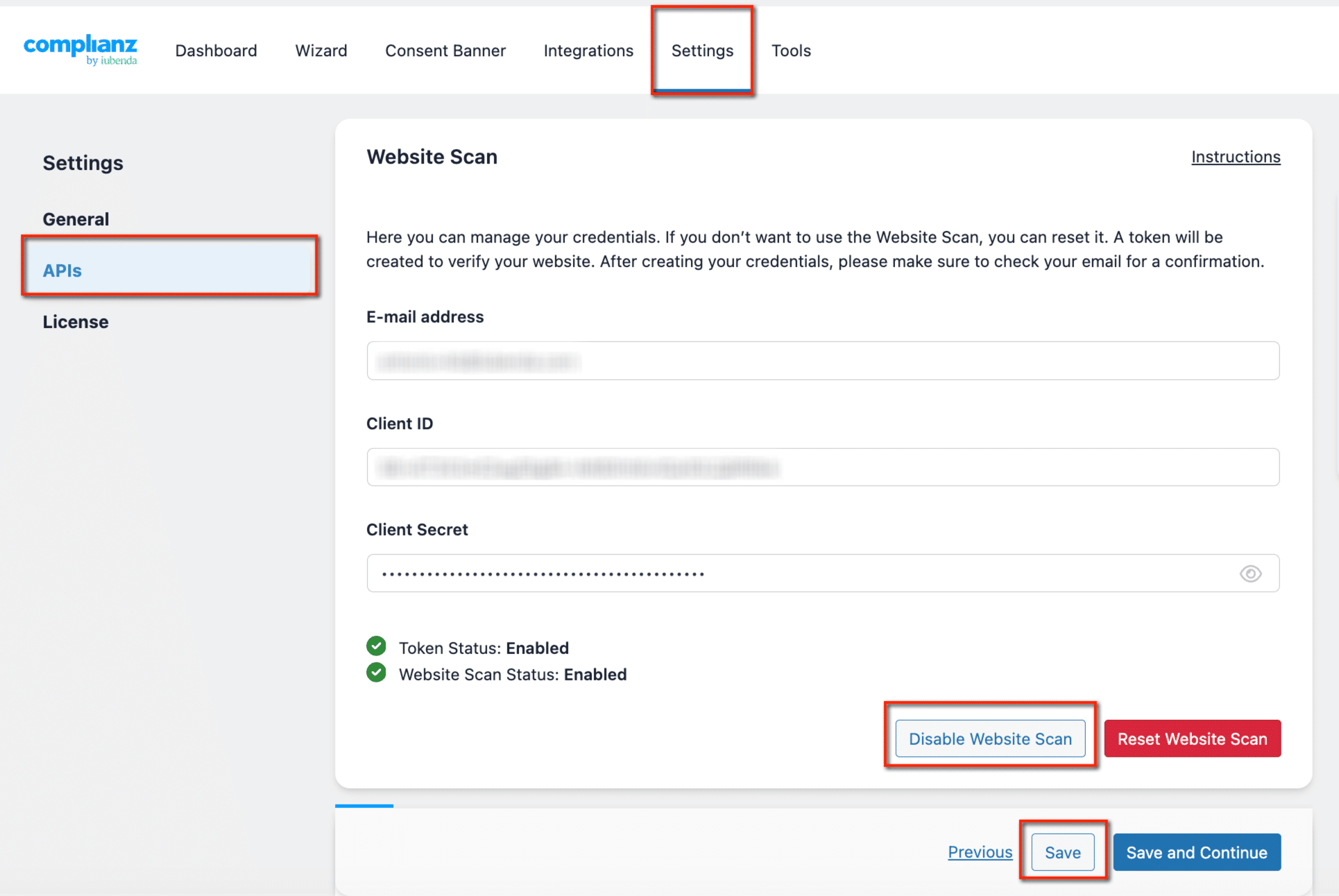
- Click Disable Website Scan, then click Save to apply the changes.
- Refresh the page.
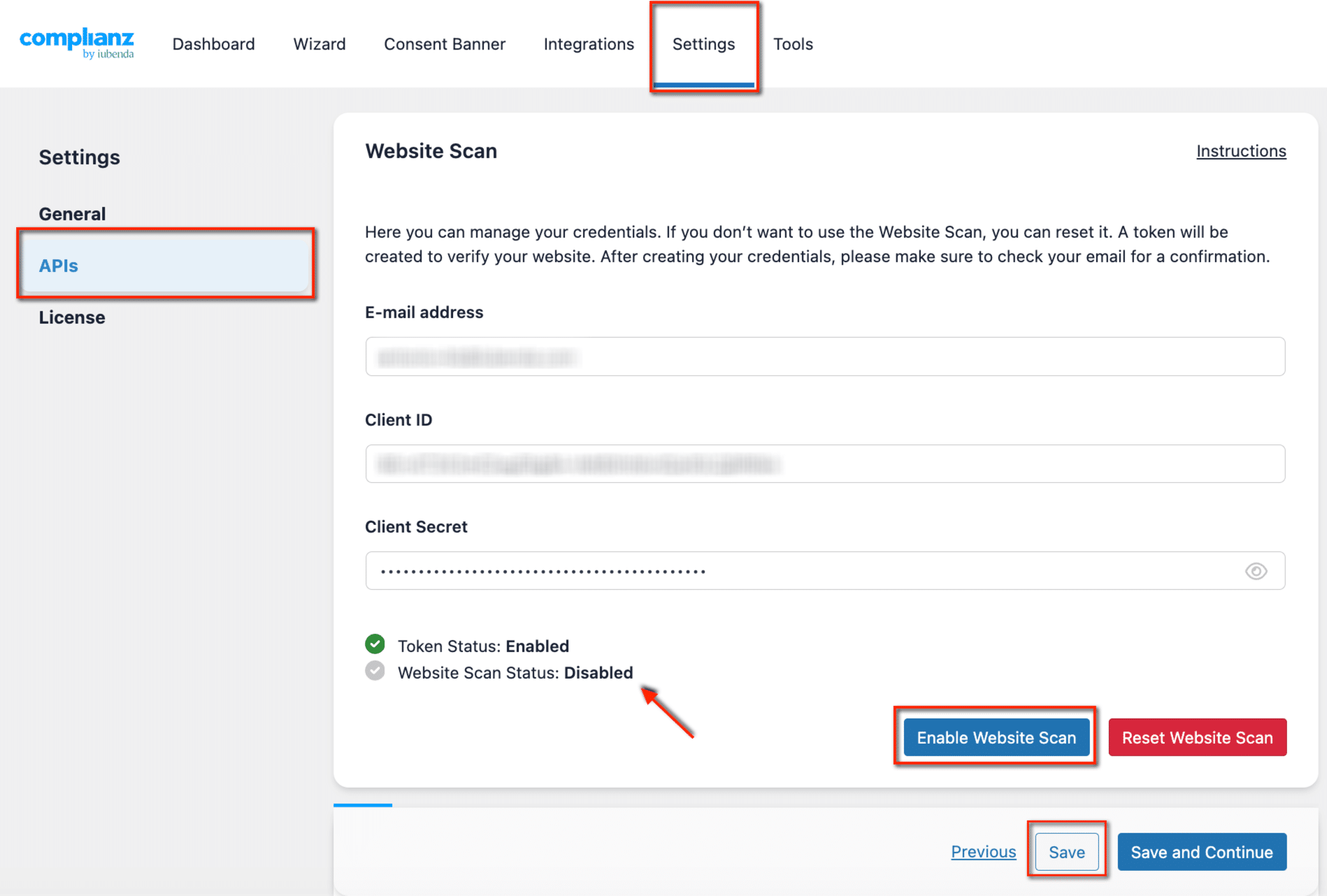
- Click Enable Website Scan and save again.
The scan will now run through to completion.
Need further assistance?
If you are experiencing issues other than the one described in this guide, please reach out to our support team at complianz.io/support.
For more information on managing and troubleshooting cookies and services with the Complianz integrated scanner, check out our dedicated guide: How to Manage and Troubleshoot Cookies & Services in Complianz Using the Integrated Scanner.